The drawer
The drawer shows ledger items inside Claude Code.
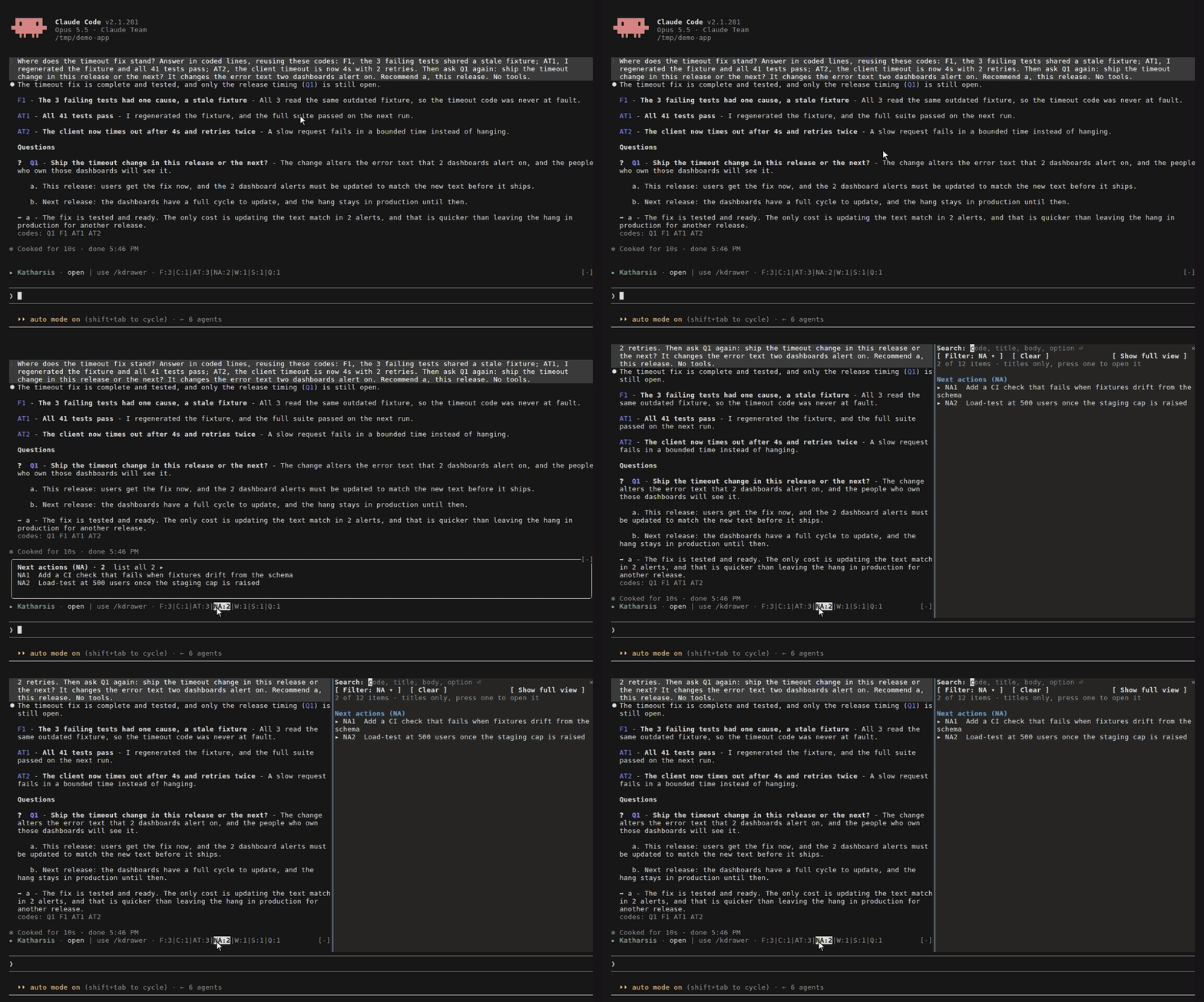
It needs mods, which Claude Code loads with no flag from 2.1.287 on, and appears only when a Katharsis style is active, from the start of the session: /kdrawer works before the first prompt, including after /clear.
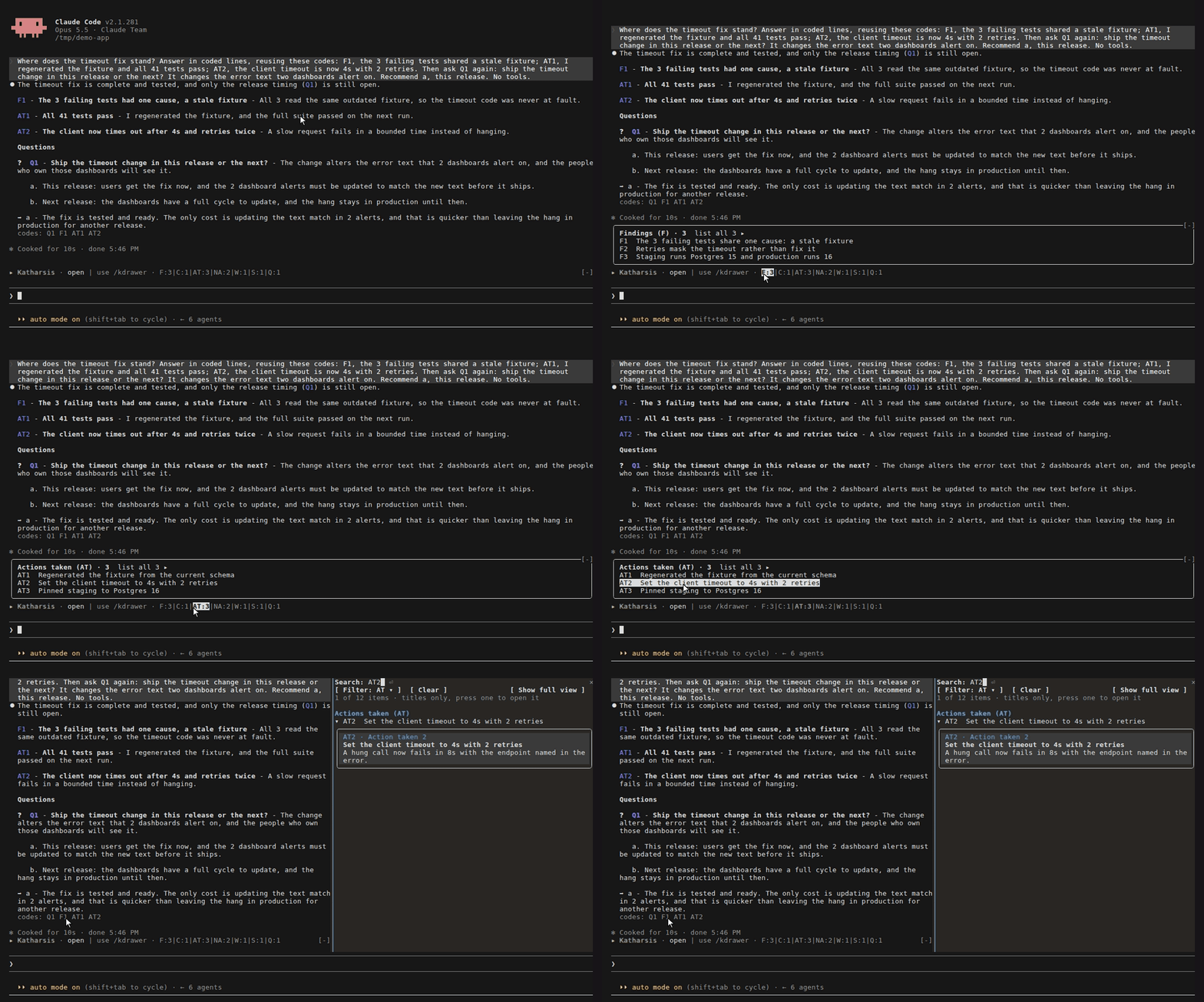
The band sits above the prompt and lists the code types in the session, such as AT:2|C:1|F:3|Q:1.
Hover a type to see its latest titles, up to 10, each led by the same status mark as its row in the drawer.
Select a title to open that item in the drawer, or select the type to list every item of that type.
Drawer
Section titled “Drawer”To open the drawer, select open on the band or run /kdrawer [query].
The drawer groups items by type and has a search box, a Filter menu, a Status menu, a Clear button, and a toggle between the short and full views.
Press f to open the Filter menu, s to open the Status menu, and v to switch views.
Each row shows the code, a mark for its status, and the title, which wraps onto more lines when it is long.
In the full view, each item’s body, options, and recommendation start under its title.
Select a code to open that item as a card.
A query spelled as a code, such as F3, finds that code only.
Press Esc to close the drawer.
The Status menu picks all, open, or resolved items, and lists the key to the marks below them. Open hides resolved items and the types that never close, resolved shows only resolved items, and all lists the open items first in each group. The drawer keeps the Status setting when you close it or select Clear. An item you ask for directly appears whatever Status says: a query spelled as a code, a code you select in a reply or the band, and the list that show all opens.
Each group’s heading counts its type under the current search and filter, including the items Status hides.
For a type that can close, it also counts the open ones, such as Questions (Q) · 2 open of 9.
Codes in a reply
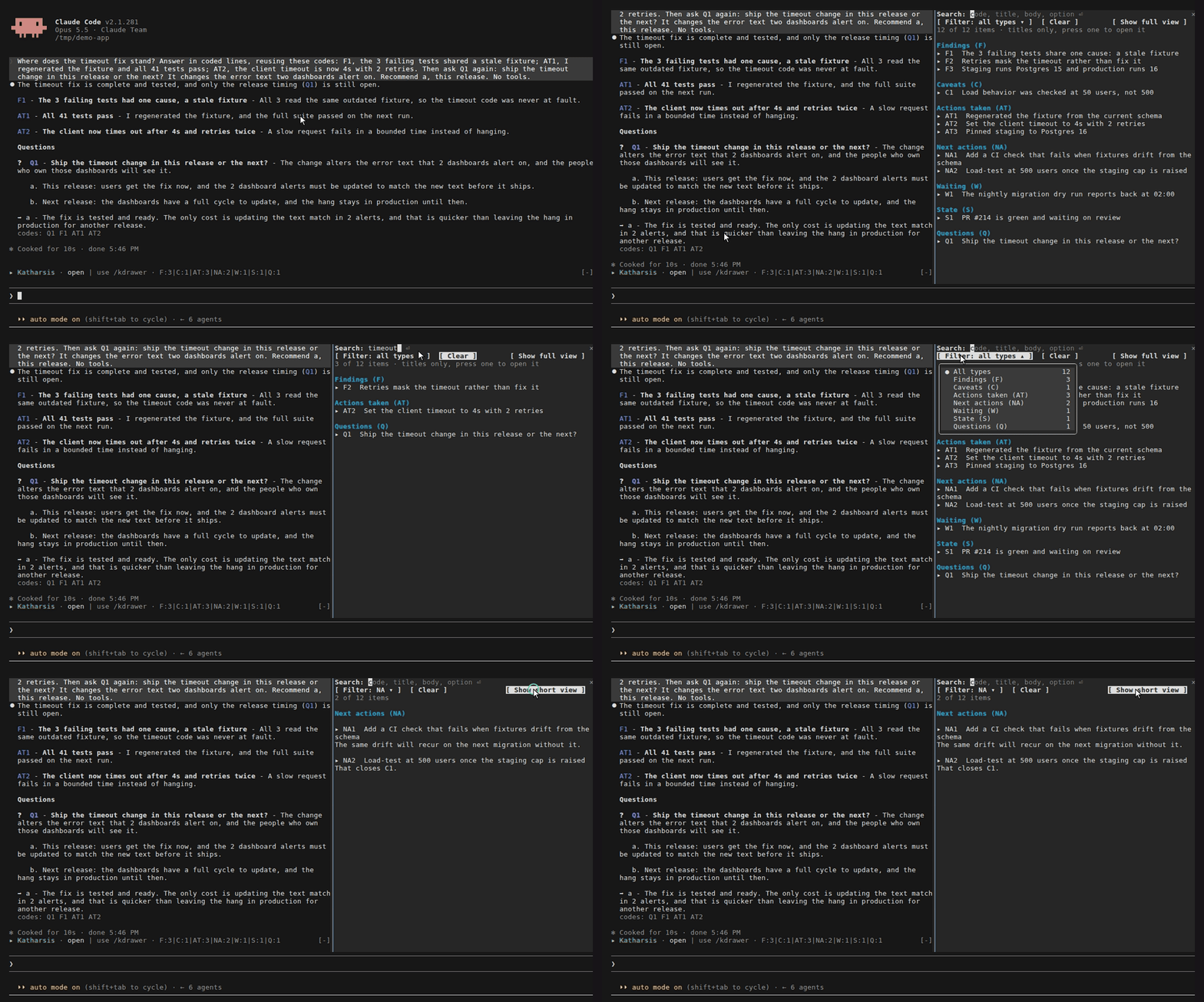
Section titled “Codes in a reply”Each code in a reply is a link that opens the item in the drawer, unless the reply is too long for Katharsis to redraw or another plugin draws it. The Codes this turn row under the reply lists the codes the reply cites, other than questions. Hover a chip to see the full item.
Still open
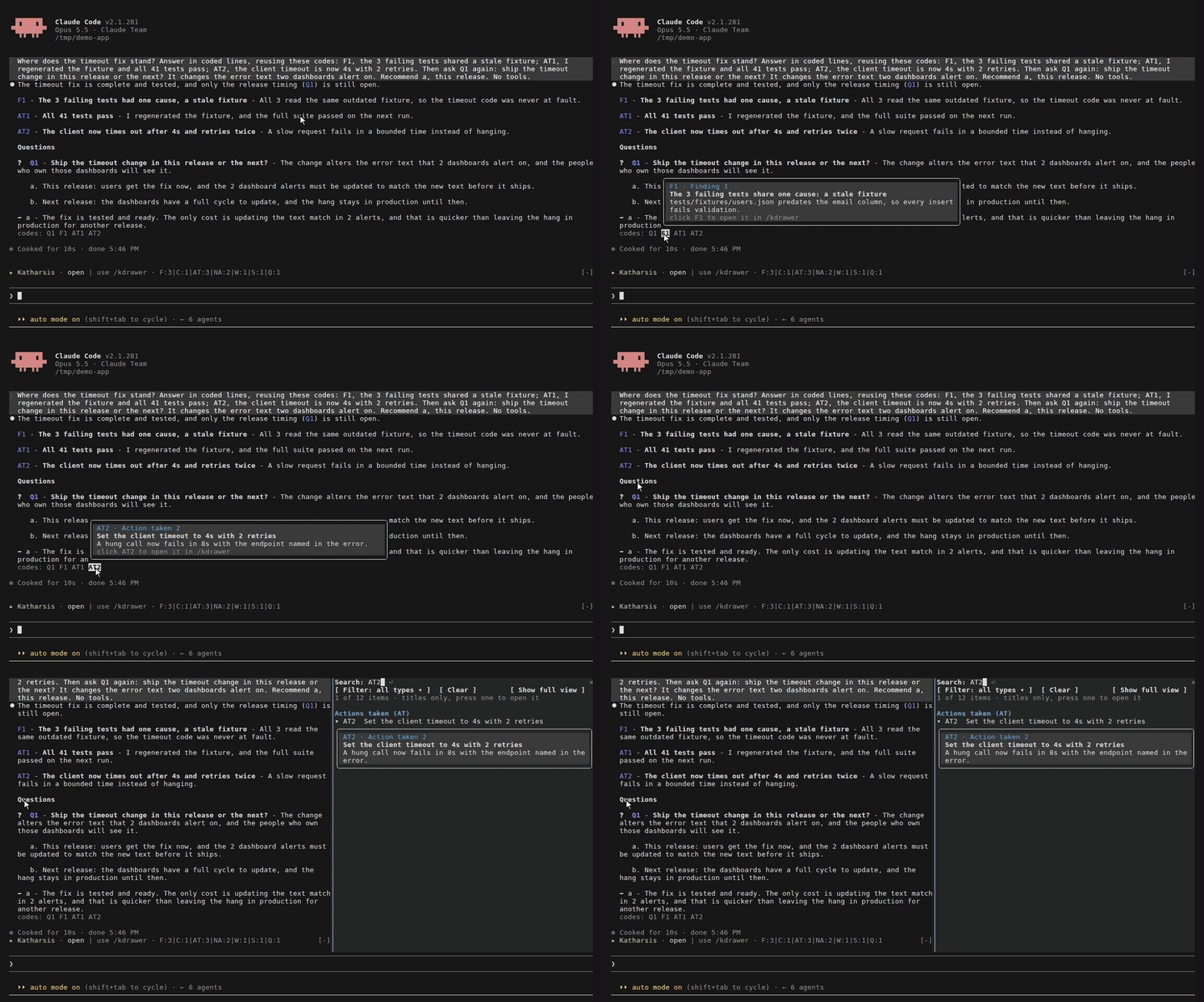
Section titled “Still open”The Still open row under the latest reply lists open questions, your moves, blocks, and risks. It shows the 3 newest of each type and a count of the rest. Select show all to list them in the drawer.
| Code | Closes when |
|---|---|
Q |
You answer it, a later AT or V line cites it, or an X line drops it before you answer |
NA, MV, W, B, R |
A later AT or V line cites it, or an X line drops it |
C |
A later AT or V line cites it |
F |
An erratum withdraws it |
A code inside a code span, such as `kref Q4`, is an example and cites nothing.
Next actions and waiting items never appear in the row, and the drawer marks them closed by the same rules.
Every row carries a mark, so every title starts in the same column.
A grey circle, ○, marks an item still open or of a type that never closes, such as an action taken.
A green check mark, ✓, marks an item answered, settled, or done, and a red cross, ✗, marks an item dismissed, dropped by an X line, or withdrawn.
A yellow ! marks an open line that an erratum corrected without restating it, so its title is the version the erratum replaced.
Its card, and the card of a closed line corrected the same way, carries ! Corrected by E1 and the erratum’s body.
A resolved item’s card opens with a closing line that names how it ended and the line that did it, with that line’s title.
Only the mark and its verb are coloured: green for ✓, red for ✗.
| Item | Closing line |
|---|---|
| A question you answered | ✓ Answered a, with · in AT3: … when a line also cited it |
| A question a line settled with no answer from you | ✓ Settled by AT3: … |
| A next action, your move, or a waiting item | ✓ Done in AT3: … |
| A block | ✓ Cleared by AT3: … |
| A risk | ✓ Retired by AT3: … |
| A caveat | ✓ Lifted by V2: … |
Anything an X line dropped |
✗ Dropped by X4: … |
A question you answered x |
✗ Dismissed |
| A finding an erratum withdrew | ✗ Withdrawn by E2 |
A question’s card shows its reason dim, each option, and the recommendation after a bold Recommended: label.
A finding’s card lists the codes that cite it.
Autonomy suggestion
Section titled “Autonomy suggestion”At the guided autonomy level, a row under the latest reply suggests standard once your answers support it: at least 50 answered questions that carried a recommendation, across every session, with the recommendation taken on at least 70% of them.
The row names both counts and the rate.
A question counts only when its recommendation opens with one of its option letters standing alone, as in a - why, or with any single letter when the ledger recorded no options for it.
A question you dismissed with x counts for neither side, and your own answer, a prose answer, or another option counts as not taken.
The drawer checks once a session, and again when a /config change reloads the plugin.
Select dismiss to hide the row for good.